
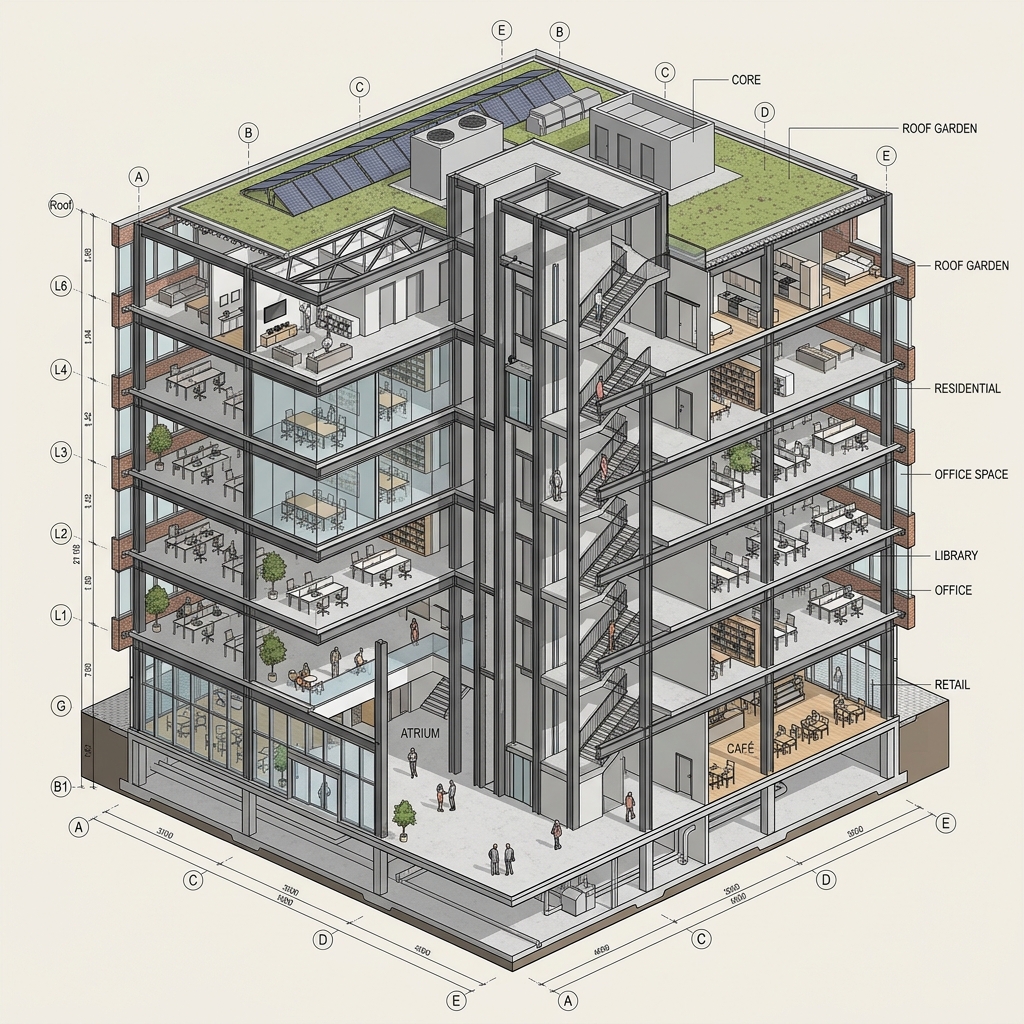
ArchiLabs is one of a handful of platforms claiming the title "AI-native CAD." Most of the others are either wrappers over existing geometry engines or sketch-to-image tools that hallucinate when you ask for a measurable wall. ArchiLabs is the only one we have tested that does both halves of the promise seriously: a real parametric core underneath, and a real prompt layer on top.
We ran Studio Mode for a week. Two test workloads: a small specialty retail shell building we had geometry for, and a representative hyperscale data center layout based on publicly documented module specs. The retail building is the kind of work most architects actually do. The data center is the workload ArchiLabs is currently shaped around — smart components, validated parameters, repeatable modules. We needed to see how both halves performed.
Browser-based, AI-native parametric CAD. Code-first under the hood; natural-language prompts surface the parametric layer. Strongest on repeatable, rule-driven program (data center, warehouse, multifamily). Less strong on free-form architectural work.
The thing it actually does
The pitch is "10x faster drafting via natural-language prompts." That is a marketing number, but the mechanism behind it is real. Studio Mode treats every element as a smart component — not a passive shape that you nudge into place, but an object that carries business logic. A wall knows what assembly type it is, what fire rating it has, what cost band it sits in. A data center cooling unit knows its airflow, its clearance envelopes, and its tie-in to the rack module.
When you prompt Studio Mode — "give me a 30-rack data hall module with 4-row hot aisle containment and a 6-foot service clearance perimeter" — it does not generate a sketch. It generates parametric geometry that obeys the rules of its smart components, with values you can edit. The output is editable, validates against itself, and exports as real BIM geometry, not as a rendered image.
The trick is that the prompt is not generating geometry from scratch. It is composing existing smart components according to declarative rules. That is what makes the output trustworthy.
On the data center test, this was uncannily good. We prompted for a 12 MW IT-load module with N+1 cooling and a specific aisle pitch. It returned a parametric module that matched the spec, included clearance envelopes, and exported as a Revit-compatible IFC. The geometry was not perfect — we had to nudge two cooling units and re-route one cable tray reservation — but it was eighty percent of the way to a usable schematic in under a minute.
That is the workflow ArchiLabs is built for: high-repetition, rule-dense, validated program. Data center is the obvious one. Warehouses, distribution centers, multifamily unit mats, and parking structures all sit in the same category. Anywhere the rules are well-defined and the geometry is mostly repetition with variation.

The retail building test
We ran the same workflow on a 4,000 sq ft specialty retail shell — one we had real geometry for, currently in our portfolio. The prompt experience was less magical here, in a way that is informative.
"Generate a single-story retail shell with 18-foot clear ceiling and a 12-foot tall storefront on the south elevation" returned a usable parametric building with the storefront in the right place. Good. But when we tried to push it further — "add a service bay on the east elevation with a 12-foot roll-up door and 20 feet of dock setback" — the model produced something workable but with much less of the rule-driven intelligence we had seen on the data center test. The service bay was there. The clearances were not enforced. The cost-band metadata was generic.
This is the honest gap. ArchiLabs has deep smart-component libraries for the programs it has trained on. For other building types, you get the parametric scaffolding but not the business logic. You can build your own smart components — Studio Mode exposes a Python API for exactly this — but that is a different value proposition than "prompt your building into existence."

The code-first backbone
What makes Studio Mode different from every other AI-native tool we have tested is the code-first layer underneath. Every smart component, every parametric rule, every geometry operation has a corresponding Python object you can inspect, edit, and extend. The prompt layer is a front-end onto this; it generates Python that drives the geometry.
For firms with computational design capacity, this is enormous. You can write your own smart-component library that encodes your firm's standards — preferred wall assemblies, required clearances, project-type cost bands — and then prompt against your own library. The AI is not making things up; it is composing your validated components according to your rules.
For firms without computational design capacity, the value is narrower — you are using ArchiLabs's component libraries, which are deepest in the data center and adjacent program categories.
The Python integration also makes Grasshopper-style workflows possible without leaving the platform. We wrote a quick script to parametrically vary the data hall module across five MW load tiers and produce comparative cost and clearance reports. It took about forty minutes including learning the API. In Grasshopper, the equivalent would have been an afternoon plus the Rhino setup.
Studio Mode vs the alternatives
| Workflow | Revit + Dynamo | Rhino + Grasshopper | ArchiLabs Studio Mode |
|---|---|---|---|
| Repeatable program (data center, warehouse) | Capable but slow | Powerful but expert-only | Native — prompt-driven |
| Free-form architectural design | Workable | Strongest | Weaker — depends on component coverage |
| Smart components with business logic | Family-level only | None native | Core feature |
| Natural-language input | None | None | Native |
| Python / scripting access | Dynamo + Revit API | Deep — RhinoScript, Python | Native Python API |
| Documentation output | Industry standard | Workable via plugins | Partial — export to Revit for CD |
| Cost per seat / year | ~$2,800 Revit + Dynamo free | ~$1,000 Rhino + Grasshopper free | ~$700 Studio plan |
Who should actually use it
Firms doing repetitive, rule-dense work. Data center, hyperscale infrastructure, warehouse and distribution, multifamily mats, parking structures. If your project type has well-defined rules and a high repetition factor, Studio Mode is potentially transformative. We would seriously consider it on any new data center engagement that walked through our door.
Firms with computational design capacity who want to build firm-specific smart-component libraries. The Python layer is genuinely powerful, and "prompt against your firm's own standards" is a future-shaped workflow most platforms cannot offer.
Anyone running early-stage feasibility studies on programs with strong rules. The speed of going from prompt to validated parametric scaffolding is hard to overstate. We saw real "five hours of work compressed into ten minutes" moments on the data center test, not just incremental savings.
Who should not
Firms doing primarily custom, free-form, low-repetition work. Studio Mode is competent at this but not differentiated. You will get more out of Rhino with Grasshopper, or a SketchUp + Veras workflow, depending on the deliverable. Studio Mode shines when there are rules; if every project is bespoke, the rules layer is mostly overhead.
Firms without computational design capacity who do not work on data center / warehouse / multifamily program. The platform's strength scales with how much of your work matches the component libraries shipped today. Outside that envelope, you are paying for capability you cannot fully access.
Our take
ArchiLabs Studio Mode is the most credible "AI-native CAD" we have tested in 2026, and the gap between it and the closest competitors is wider than the marketing suggests. The reason it works is that the AI is not generating geometry from scratch; it is composing validated smart components according to rules. That is the architecture that turns a prompt into trustworthy output.
The pitch toward data center design is correct in 2026 because that is where the component libraries are deepest and the economics of speed are strongest. We expect this to broaden over the next twelve to eighteen months as ArchiLabs trains additional libraries for adjacent program types. When it does, the conversation about whether AI-native CAD is real ends.
For now: if your work matches the libraries, this is a near-instant productivity win. If it does not, watch the space — and consider whether your firm has the computational design talent to build the libraries you need against the platform's Python API.
No affiliate relationship with ArchiLabs.