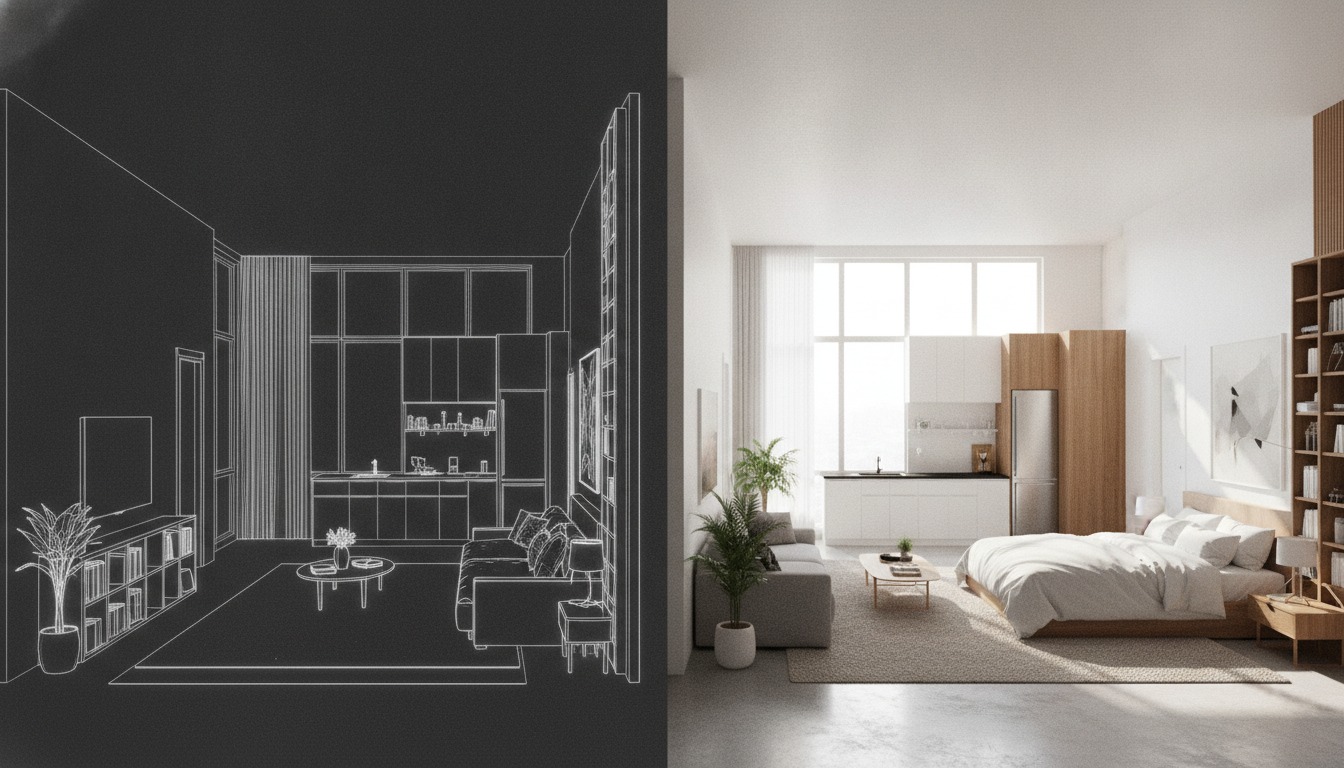
Can a floor plan become a 3D render?
A coloured plan keeps the drawing's view. An eye-level image needs a camera and height information that a bare plan outline does not supply. That distinction matters before choosing nodes. The ControlNet paper describes spatial conditioning from inputs including edges and depth. It does not describe recovering a measured building from a floor plan.
For a presentation plan, start with cleaned linework and a compatible line-control workflow. For a perspective of a specified design, set the heights and camera in a massing model, then export its depth map. This recommendation follows FLUX.1 Depth's documented use of depth maps to guide image structure, not a guarantee that the result preserves every dimension.
A depth estimator offers another route from an existing image. Depth Anything V2 estimates depth from a single image; it does not receive the wall heights missing from your drawing. Keep that distinction visible in the workflow. A plausible ceiling is still a design decision someone has to make.
Choose the control inputs before writing the prompt
Use this planning checklist alongside the linked model examples.
- Name the view. Decide whether the deliverable is a coloured plan or a perspective. For the latter, establish the intended camera and heights before generating its control image.
- Inspect the control hint. Compare the extracted lines or exported depth map with the source. Keep an unedited copy so later changes remain visible.
- Follow one documented model example. Load its workflow and required files. Begin with a plain material instruction, such as “oak flooring, white walls, daylight”. This is an illustrative prompt, not a measured improvement over another prompt.
- Compare the output. Check openings and wall boundaries against the source before treating the image as a presentation candidate. Record the model files, controls and settings used.
The stage-checkpoint guide expands that review sequence. If another generation pass is needed, the second-pass guide discusses carrying depth and edge references forward. Use both guides alongside visual inspection of the source and output.
Which nodes and models belong together?
Three things need separate names: the source image, the node that extracts a hint, and the model that uses it. The ControlNet Auxiliary Preprocessors README says the pack creates hint images. Its M-LSD Lines entry pairs with control_v11p_sd15_mlsd or control_mlsd; Canny Edge pairs with SD1.5 Canny controls. Those entries do not identify FLUX weights.
M-LSD detects straight line segments. That makes it a candidate to inspect for plan linework, not a specialist that understands rooms. Canny and LineArt are separate options in the same preprocessor pack. As a practical consequence of edge extraction, remove unwanted dimensions, text and hatching before processing, then inspect the hint image. A dimension string should not get a vote in the composition.
MiDaS, Zoe and Depth Anything V2 appear under the pack's depth estimators. Their output is a depth image. The model that conditions generation is a separate component. BFL supplies FLUX.1 Canny and Depth as full models or LoRAs; the LoRAs require FLUX.1 [dev]. Do not substitute one family's weights into another family's example graph.
The ArchiGen guide to FLUX and SDXL model choice puts these routes in a wider architectural workflow. For the files below, use the corresponding ComfyUI FLUX examples, not a graph assembled from similar-looking node names.
| Route | File or model | ComfyUI folder |
|---|---|---|
| Base FLUX.1 [dev] | flux1-dev.safetensors | models/diffusion_models/ |
| Single-file fp8 checkpoint | flux1-dev-fp8.safetensors | models/checkpoints/ |
| BFL full structural model | flux1-canny-dev.safetensorsflux1-depth-dev.safetensors | models/diffusion_models/ |
| BFL structural LoRA | flux1-canny-dev-lora.safetensorsflux1-depth-dev-lora.safetensors | models/loras/ |
| Community FLUX ControlNets | InstantX Canny; Shakker-Labs Depth/Union; XLabs | models/controlnet/ |
ComfyUI's fp8 example uses Load Checkpoint and CFG 1.0. Its documentation warns of reduced quality and recommends the full 16-bit version when resources permit. That is a documented loading instruction, not an architecture-specific setting recipe. The full-model examples also list their text encoders and VAE; download the supporting files for the chosen example.
What does the upscale actually do?
Ultimate SD Upscale performs image-to-image diffusion in tiles, keeping each diffusion region near the model's trained resolution. It is a generative step, so review it as another image change. More pixels are not evidence that the original geometry survived.
The node documentation separates the upscale factor from denoise and seam controls. Choose them for the selected model and output, then compare the result with the pre-upscale image. This guide supplies no universal denoise value, fixed output resolution or speed ranking.
Check the licence before the queue
The FLUX.1 [dev] model card identifies a non-commercial model licence and separately permits uses of generated outputs subject to that licence. BFL's structural-model table lists the dev non-commercial licence for Canny, Depth and their LoRAs. Output permissions and permission to operate model weights commercially are different questions; check the applicable terms and BFL's commercial licensing options for the intended use. A local download is not a blanket commercial licence.
FLUX.1 [dev] is an image generator, according to its model card. Keep dimensions and construction decisions in the drawing or model that defines them. Use the generated image to discuss an appearance, with its origin stated.
The picture can suggest oak. It cannot specify the wall.